

Remake the clip that works with CloneCut.
CloneCut: clone viral videos with AI
Upload a video that performs or write a brief. CloneCut plans every shot, then an AI video model renders it.
Start with CloneCut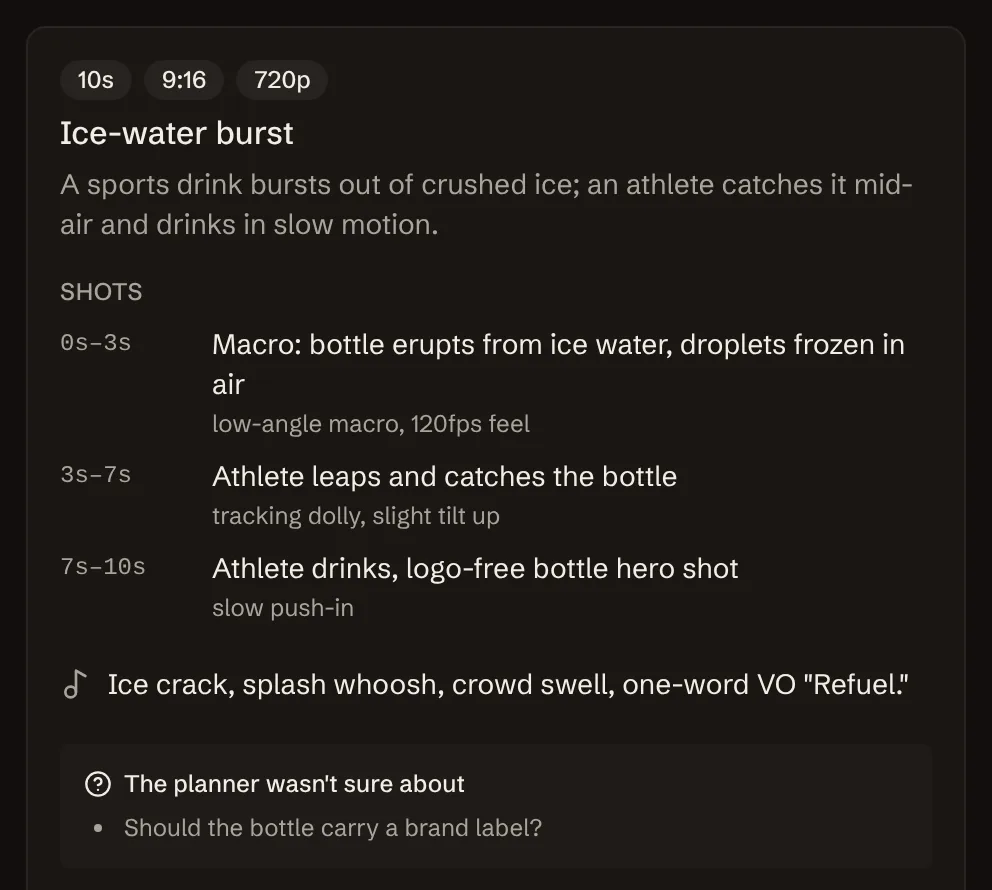
Create a video
Describe the clip you want, or upload one to remix. You get a shot plan to review first, and nothing is charged until you approve it.
Your shot plan appears here. Review it, adjust the prompt, then generate.
Two ways to make an AI video in CloneCut
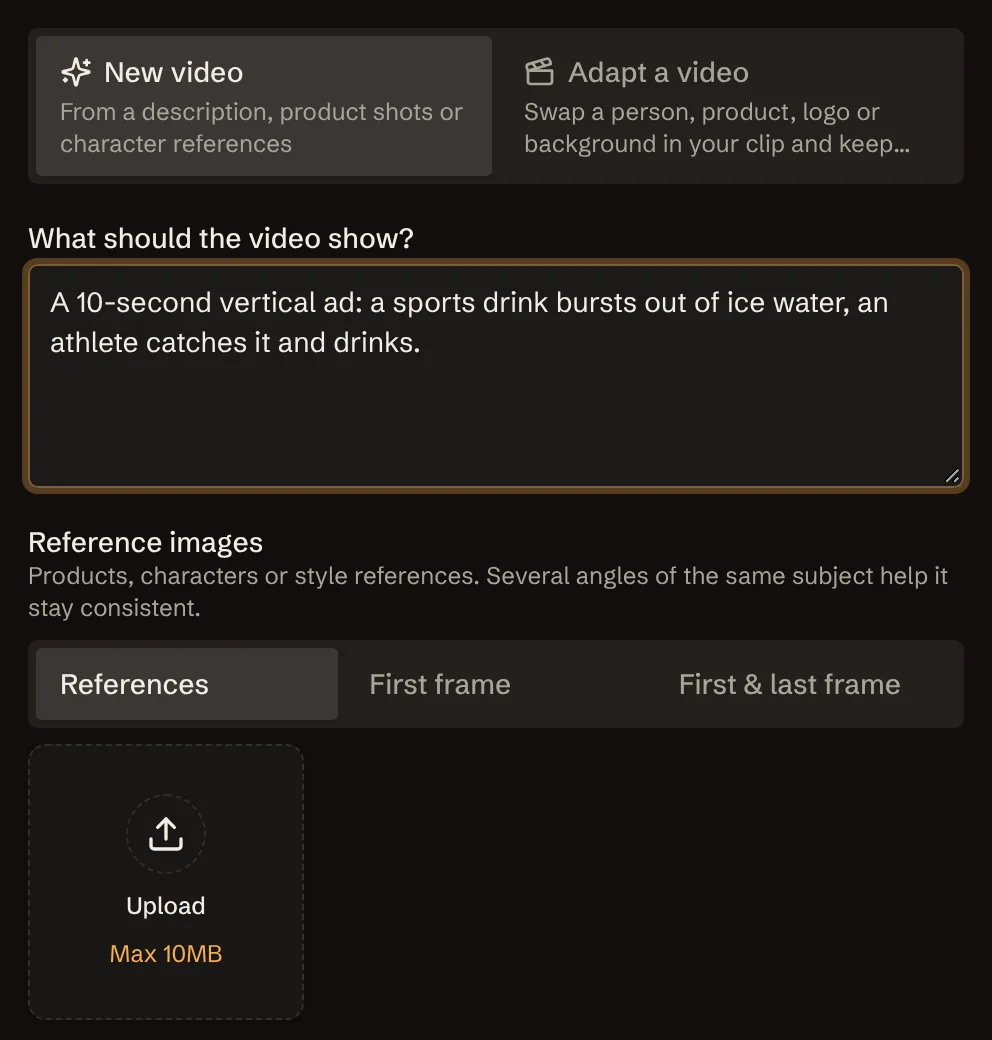
Start from a brief
Write a few lines and add product shots or a character sheet. The CloneCut planner drafts shots, camera moves and audio before anything renders.
- First frame, or first and last frame control
- Up to 9 reference images, several angles of one subject
- Dialogue, sound effects and music generated with the clip
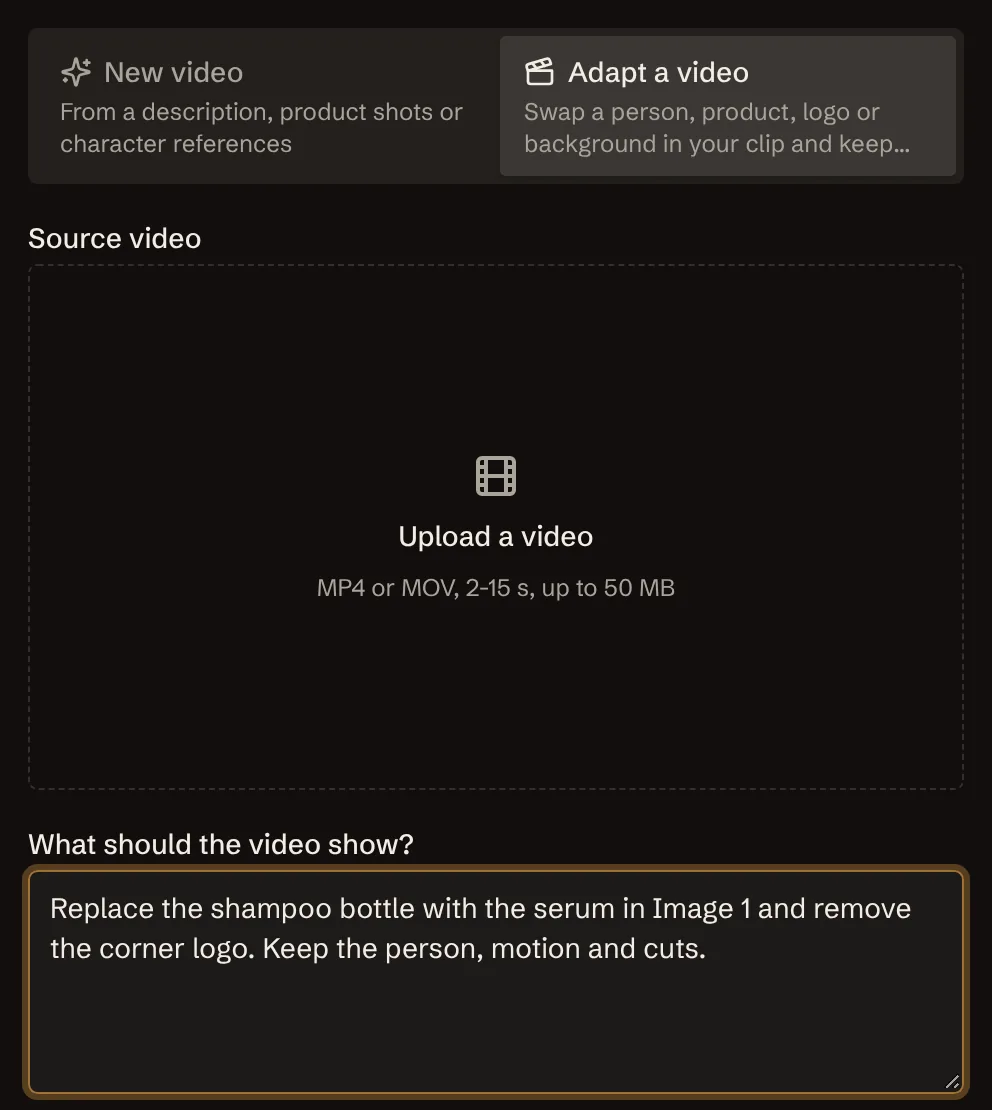
Adapt a clip you already have
Swap a person, product, logo, background or on-screen text. CloneCut keeps motion, cut points, camera moves and timing as they were.
- Several swaps in one CloneCut pass
- MP4 or MOV source clips of 2 to 15 seconds
- A CloneCut consent check whenever real people appear
Swap anything on screen with CloneCut. Keep the shot.
Upload a clip of 2 to 15 seconds and tell CloneCut what should change. Motion, cut points, camera moves and timing stay as they were.
Replace the product
CloneCut puts your bottle, box or gadget where the original product was, from your own product photos.
Replace the person
Swap the presenter for your own character. CloneCut needs only a few reference angles. Real people need their consent.
Replace the logo
CloneCut puts your brand on the cup, shirt or package instead of theirs.
Change the background
CloneCut moves the same action to a kitchen, a street or a studio set.
Rewrite on-screen text
Change captions, prices or the call to action in CloneCut.
Make several swaps in one CloneCut pass, and see the cost before you confirm.
How to clone a viral video with CloneCut
CloneCut is made for short-form teams
Whether you test ten ad variants a week or remake one clip that took off, CloneCut turns a winning video into a new one in minutes.
UGC ad creators
Take a UGC ad that converts and remake it in CloneCut with your product in the creator's hands. Test new hooks without booking another shoot.
TikTok, Reels and Shorts creators
Clone a trending format in 9:16 with CloneCut and make it yours. Keep the pacing that made it work and change what's on screen.
Ecommerce brands
CloneCut puts your product into a video that already sells. Swap the bottle, box or logo and keep the camera work.
Performance marketers
Turn one winning creative into several CloneCut variants for A/B tests. Each clip costs credits only after you approve the plan.
Agencies
Deliver more cuts per brief with CloneCut. Plans are reviewable before render, so changes happen before credits are spent.
Founders and small teams
Make product videos in CloneCut from a few lines of text and some product photos. No editor, camera or studio needed.
Why teams use CloneCut
See the plan before you pay
Every CloneCut video starts as a shot-by-shot plan. Credits are spent only when you approve it.
Failed renders are refunded
If a render fails, CloneCut returns the credits to your balance automatically.
Keeps what made it work
When you adapt a clip in CloneCut, motion, cut points and timing stay the same. Only what you name changes.
Sound in the same render
Dialogue, sound effects and music come out of CloneCut with the clip. No separate audio pass.
Every platform's format
CloneCut supports six aspect ratios, from 9:16 for TikTok and Reels to 16:9 and 21:9 for YouTube and web.
Consent built in
When real people appear in a clip, you confirm in CloneCut that you have their permission before anything renders.
CloneCut AI video specs
- Clip length, set by you or by the planner
- 4-15 s
- Or 480p for quick drafts
- 720p
- 9:16, 16:9, 1:1, 4:3, 3:4 and 21:9
- 6 ratios
- Reference images, videos and audio clips per run
- 9 / 3 / 3
- Dialogue, effects and music in the same render
- Audio on
- The ByteDance video model behind CloneCut. Fast by default, High-completion when the shot matters.
- Seedance 2.0
Pricing
CloneCut charges credits per second of video. Failed renders are refunded automatically.
Starter
For trying ideas
- 1,900 credits a month
- About 7 ten-second clips (Fast, 720p)
- Unused credits expire when the period renews
- Every mode, resolution and quality level
Pro
For weekly ad testing
- 5,000 credits a month
- About 20 ten-second clips (Fast, 720p)
- Unused credits expire when the period renews
- Every mode, resolution and quality level
Studio
For brands and agencies
- 15,600 credits a month
- About 65 ten-second clips (Fast, 720p)
- Unused credits expire when the period renews
- Every mode, resolution and quality level
Credits per second of video
| Quality | Without a reference video | With a reference video | Per second of source clip |
|---|---|---|---|
| Fast480p | 12 | 13 | +7 |
| Fast720p | 24 | 27 | +15 |
| High-completion480p | 18 | 18 | +11 |
| High-completion720p | 40 | 40 | +24 |
A 10-second Fast 720p clip costs 240 credits. Adapting a clip adds a charge for each second of the source video. The CloneCut Generate button shows the exact total before you confirm, and failed renders are refunded.